Is the mobile app available on iOS and Android?
Yes. Download FQO.US for iPhone from the App Store and for Android from Google Play. Same workflow: record, trim, upload, and QR broadcast into your decks.
Product · Capture
Capture mobile app demos for sales and presales: native screen recording, in-app trim, one-tap upload to your library, and QR broadcast into live presentations. Works with Live Capture when you need the room to see your phone on the big screen.
Early teams on mobile
Integrio · Masscoms · StriveAV · Bookify Workflow Technology
Store reviews and ratings grow with adoption—we focus on shipping a capture workflow teams rely on in live rooms.

Prefer official store installs: badges above open the App Store and Google Play listings.
FQO.US on iOS & Android
FQO.US Mobile App is a demo tool for iOS and Android that helps sales and presales teams broadcast phone screens live via QR, record real in-app product flows, and trim then upload clips to a shared media center for reuse across decks.
Three jobs the app does end-to-end: go live in the room, record polished takes, ship them to your deck library.
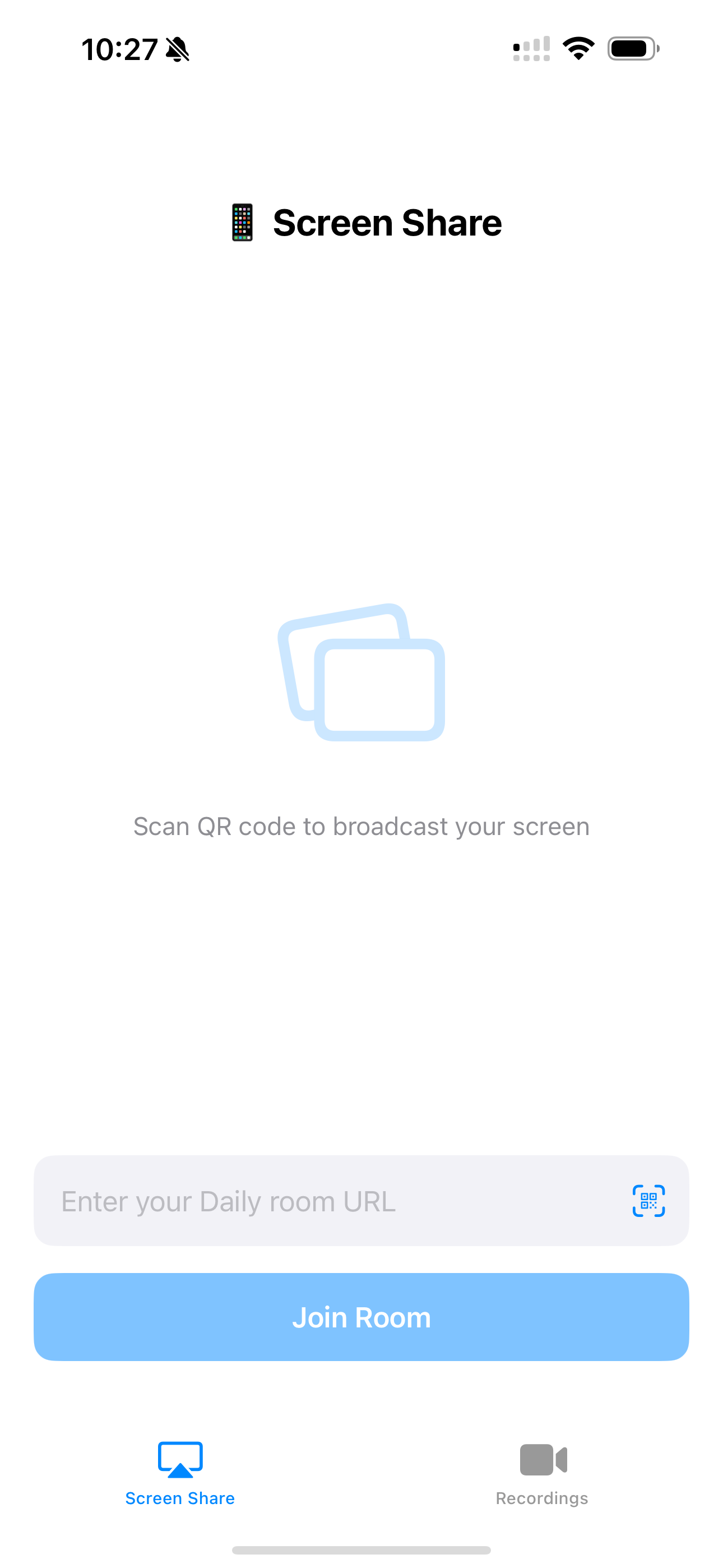
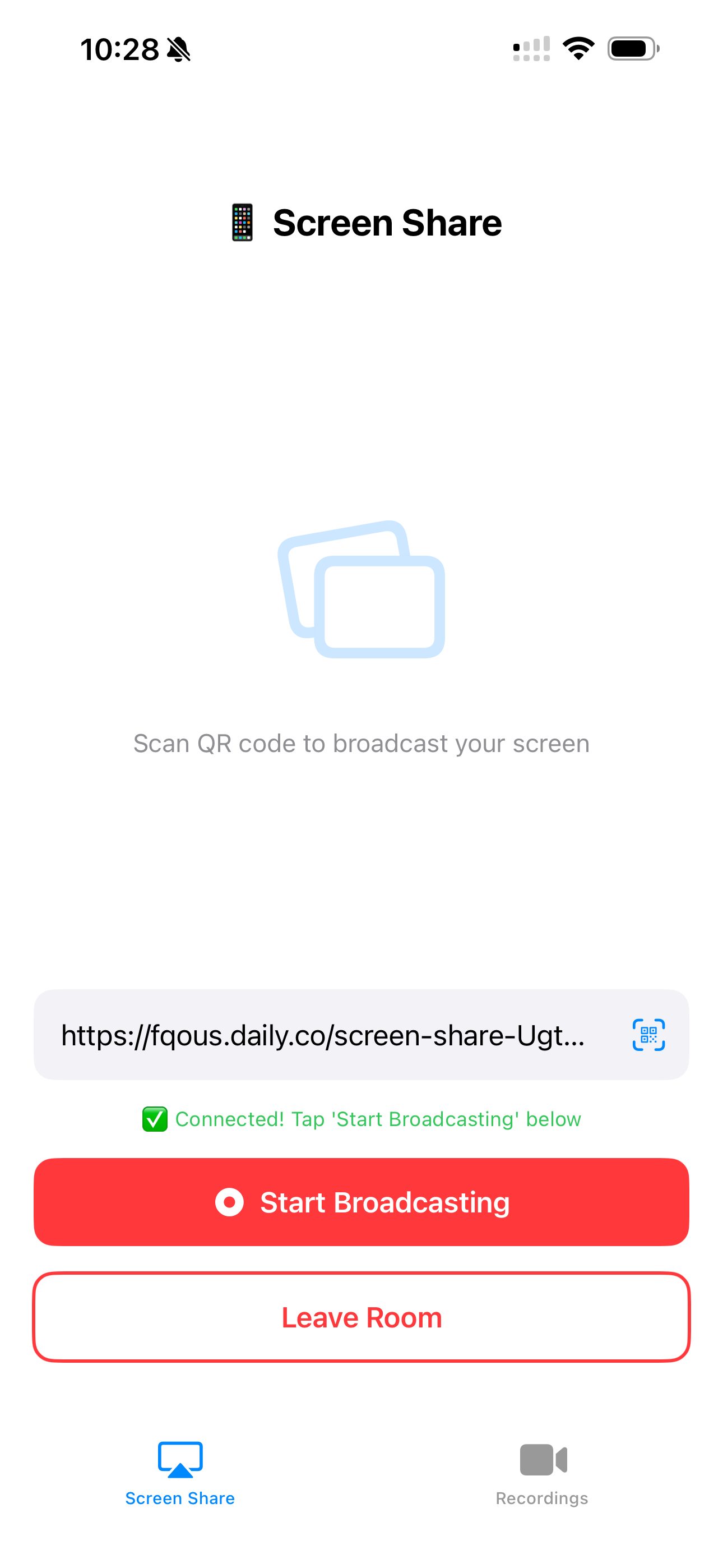
Scan from presenter notes and put your phone on screen—no cables, no awkward screen-share wrestling.
Record real app flows with built-in capture on iPhone and Android—onboarding, checkout, the flows buyers ask about.
Cut dead air at the ends, send to your media center, reuse across decks your whole team runs.
Same embed used on the homepage: scroll the guided demo, branch paths, and fullscreen—no install required. Pair it with the mobile app when you need capture and QR handoff in the room.
Open demo in a new tabOpen the FQO.US app, scan the code from your presentation, and your screen is on the projector. Built for mobile-first features buyers need to see in motion—not static mocks.
Fast setup
Scan → live. No dongle roulette.
Real gestures & taps
Show the actual product, not a slide approximation.
Hybrid-ready
Works for remote viewers following the same deck link.
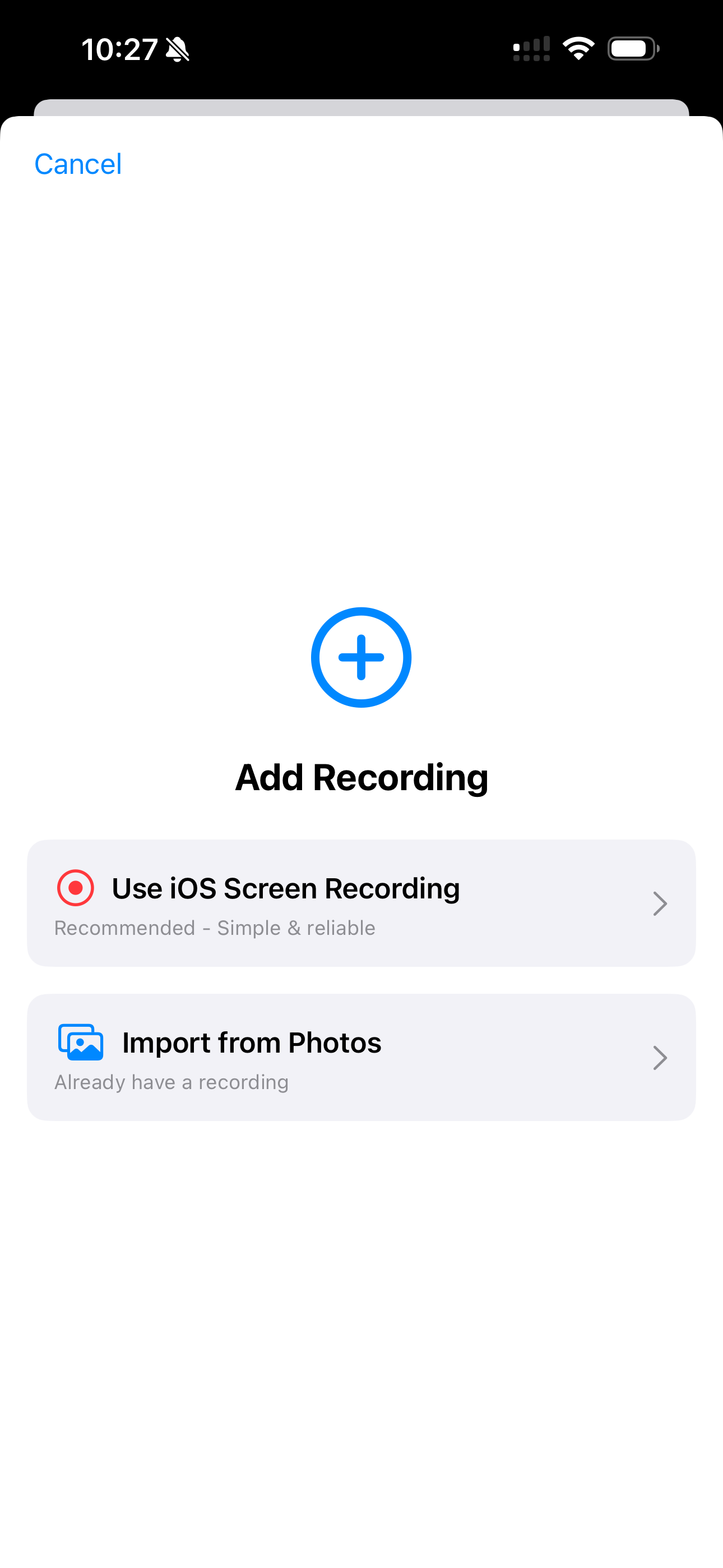
Capture onboarding, upgrades, or complex workflows with screen recording on iOS and Android. Everything lands in your library for trim and reuse—ideal when you’re building a demo recording library for the team.
Add recording
Choose screen recording when prompted (varies by OS).
Walk the flow
Drive the app like your buyer would.
Stop & save
Open in trim when you’re ready to polish.
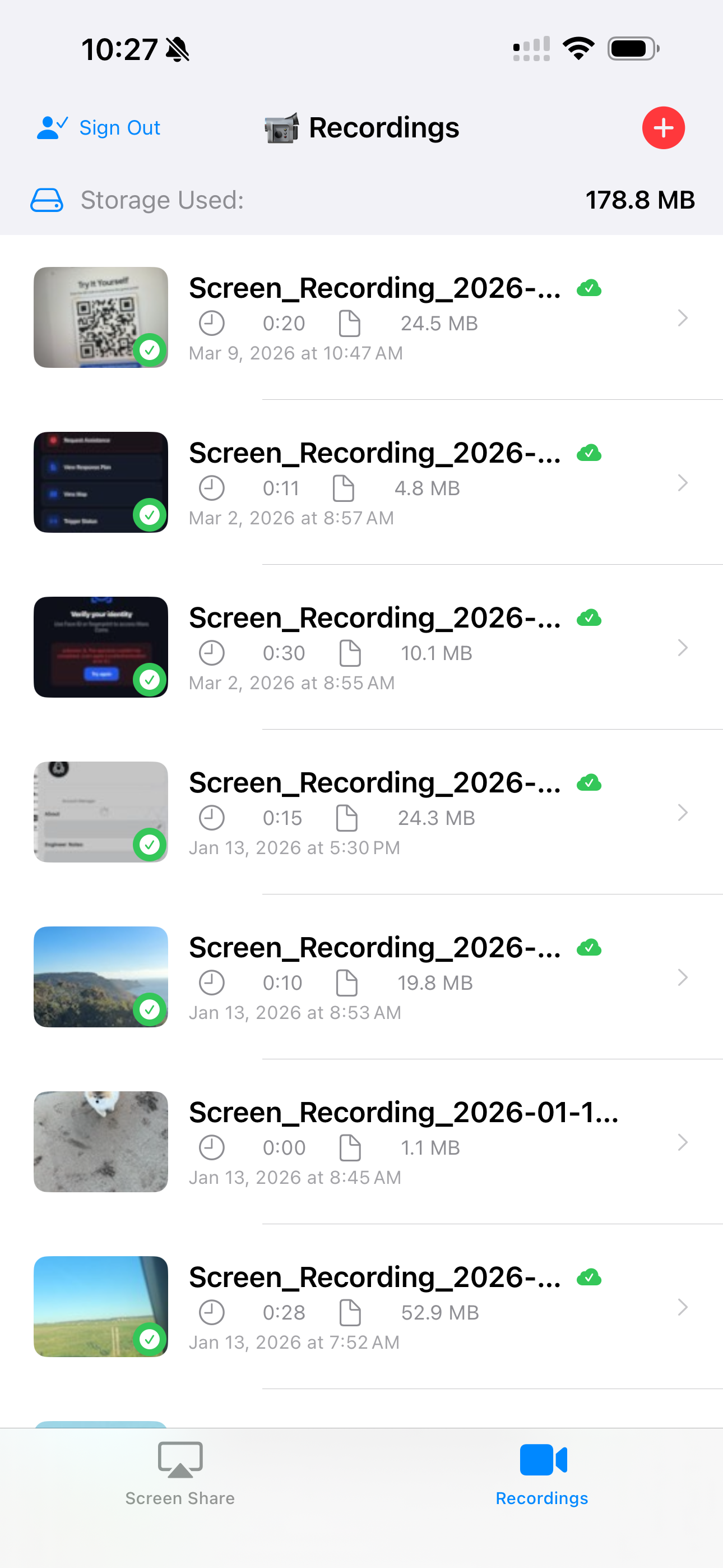
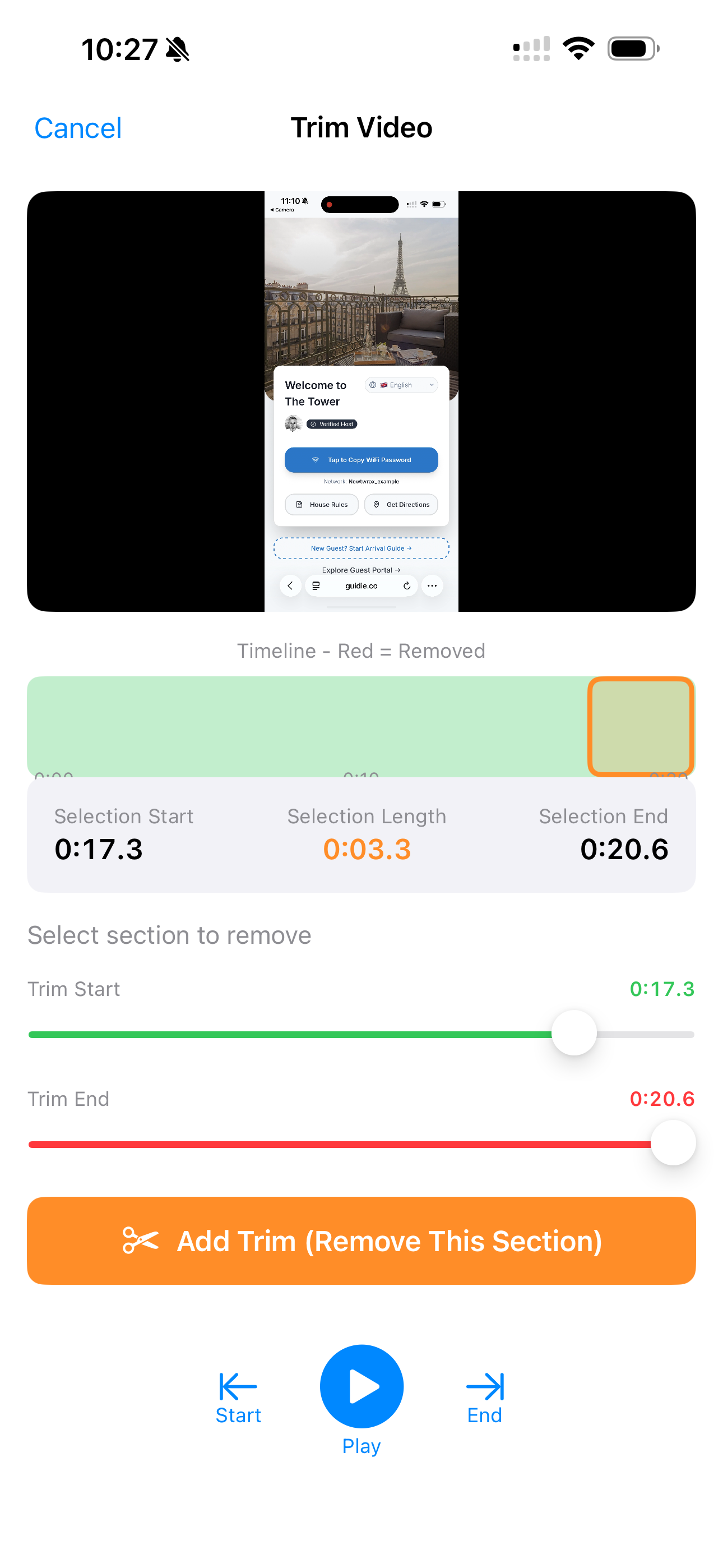
Cut mistakes and warm-up time off the ends. Upload straight into the library your decks already pull from—so reps aren’t hunting in camera rolls.
Trim
Tighten start and end without opening a desktop editor.
Upload
One path into the media center your slides already trust.
Reuse everywhere
Drop clips into any presentation in your workspace.
Ten minutes between meetings? Record a focused clip, trim it, and it’s in the library before the next Zoom.
Built for busy sales cycles.
Push, camera, maps—broadcast the real app when the room needs to see pixels moving.
Better than static mocks.
Record gold-standard takes once; everyone pulls from the same approved clips.
Consistent messaging at scale.
Install on the phone you already carry—same FQO.US workflow on App Store and Google Play.
iPhone & iPad
Phones & tablets
Public store pages show version history and ratings as they accumulate. Google Play listed a late April 2026 update for the Android build at the time this page was refreshed—check the live listing for the latest.
Yes. Download FQO.US for iPhone from the App Store and for Android from Google Play. Same workflow: record, trim, upload, and QR broadcast into your decks.
Open the FQO.US app, go to Screen Share, and scan the QR code from your presentation’s presenter notes. Your phone screen broadcasts live into the deck.
Uploads land in your media center, tagged and ready to drop into any presentation. They stay in sync across devices.
Yes. Download FQO.US for iPhone from the App Store and for Android from Google Play. Same workflow: record, trim, upload, and QR broadcast into your decks.
Yes. Use built-in screen recording on your phone to capture mobile app demos, then trim in the app and upload to your media center.
You can record offline; when you’re back online, recordings sync to your media center automatically.
Yes. Trim the start and end of recordings in-app. Heavier editing stays on desktop when you need it.
Open the FQO.US app, go to Screen Share, and scan the QR code from your presentation’s presenter notes. Your phone screen broadcasts live into the deck.
Uploads land in your media center, tagged and ready to drop into any presentation. They stay in sync across devices.
Storage depends on your plan (e.g. Starter, Professional, Enterprise). Check your account for current limits and usage.
Start the trial, install the app on iOS or Android, and drop your first clip into a deck this week.